How-ToNotebooksMade with Zelos app 26.0.9
Turn a notebook into a pass/fail test
Add rules to a notebook, see every result with the sample that proves it, and make one failing rule fail the whole run.
Contents7 sections
This guide turns a notebook that charts a battery pack's cell voltages into a test. Every rule reports the sample behind its result, and one last cell fails the run when any rule fails.
This guide runs on simulated data. Install the CLI shows how to start it.
Checks report results, and the last cell fails the run
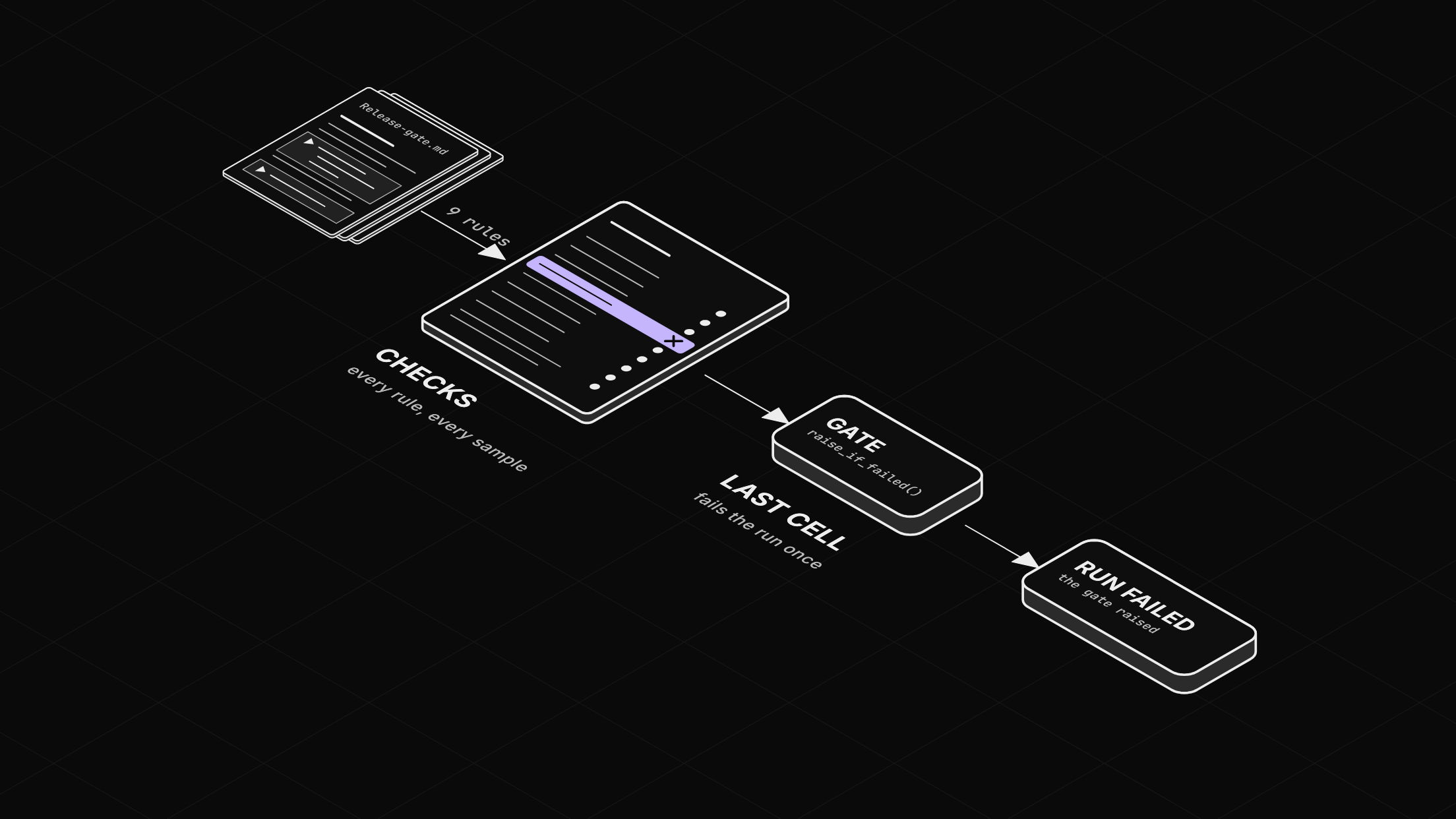
A check is one rule, such as "cell 3 stays above 3.0 V", tested against every sample in a window. It returns a result and never raises, so every rule runs and the results land on one board. The last cell, the gate, raises when any row failed or errored. That exception fails the run.
Before you start
- The Zelos app.
- A notebook named "Release gate" that charts some signals, as in Write your first notebook and chart live signals.
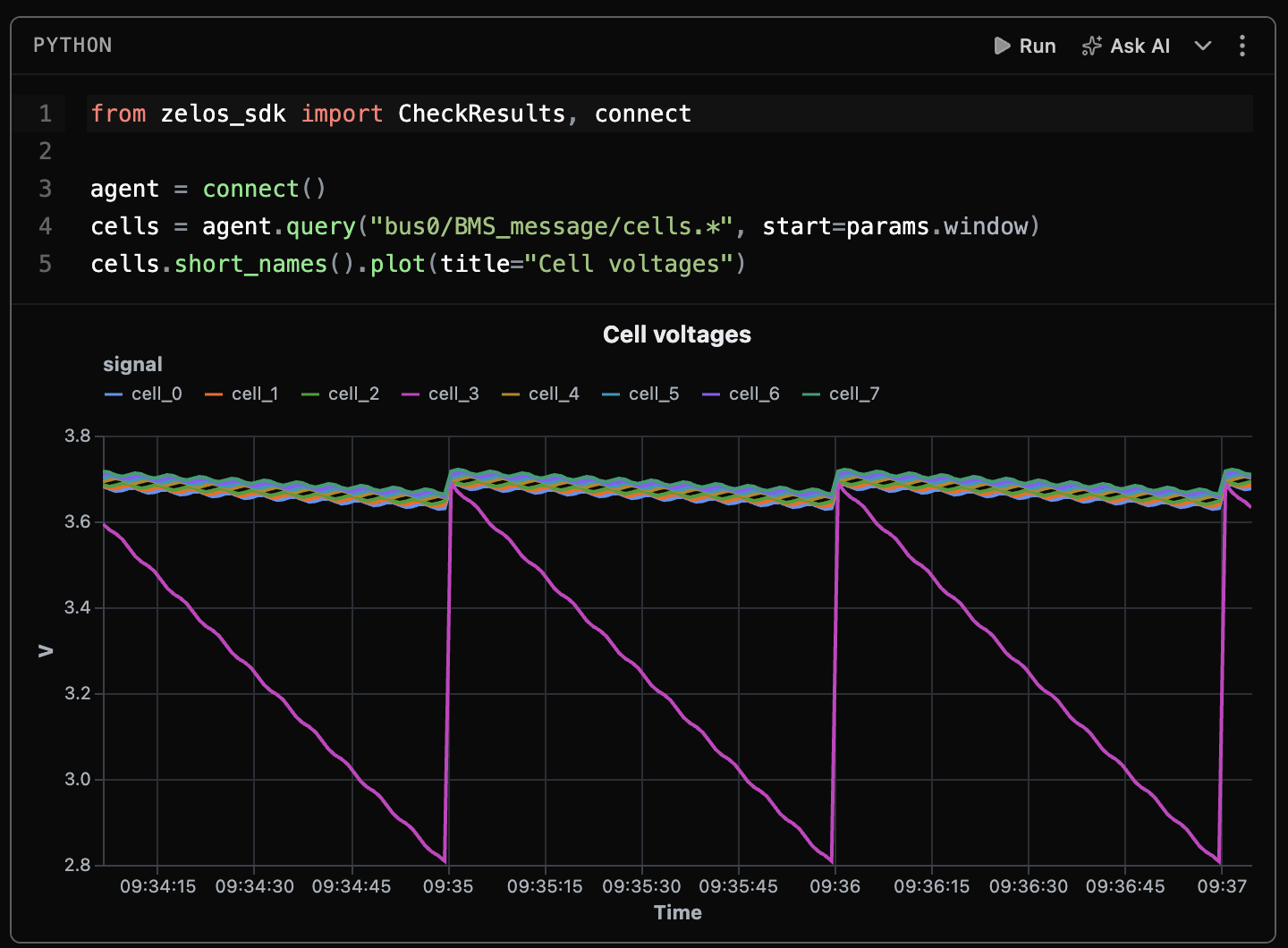
Give it three parameters: cell_floor with 3, current_max with 40 and window with -3m. Cells read them as params.cell_floor and so on. The first cell:
from zelos_sdk import CheckResults, connect

agent = connect()
cells = agent.query("bus0/BMS_message/cells.*", start=params.window)
cells.short_names().plot(title="Cell voltages")
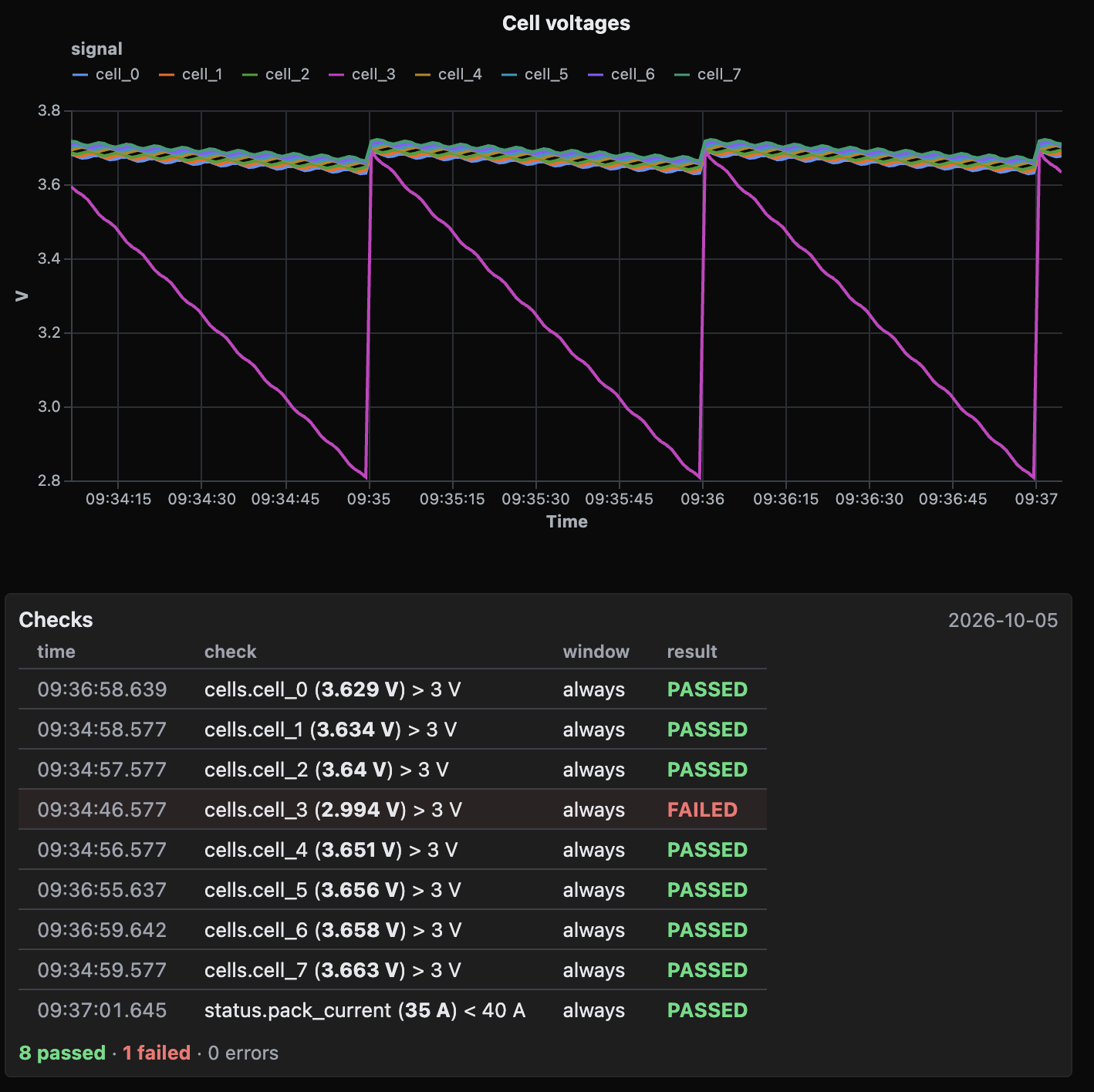
Run it. In this example, seven traces sit near 3.7 V, and cell_3 dips under 3.0 V near the end of every minute.
Step 1: Write the rules and read the board
The second cell makes one rule per cell and one for the pack current. Each check takes a queried column, so the rule must hold for every sample the query returned.
current = agent.query("bus0/BMS_message/status.pack_current", start=params.window)
results = CheckResults(
    agent.check.that(series, ">", params.cell_floor)
    for series in cells.short_names().values()
)
pack = current.short_names()["pack_current"]
results.append(agent.check.that(pack, "<", params.current_max))
results
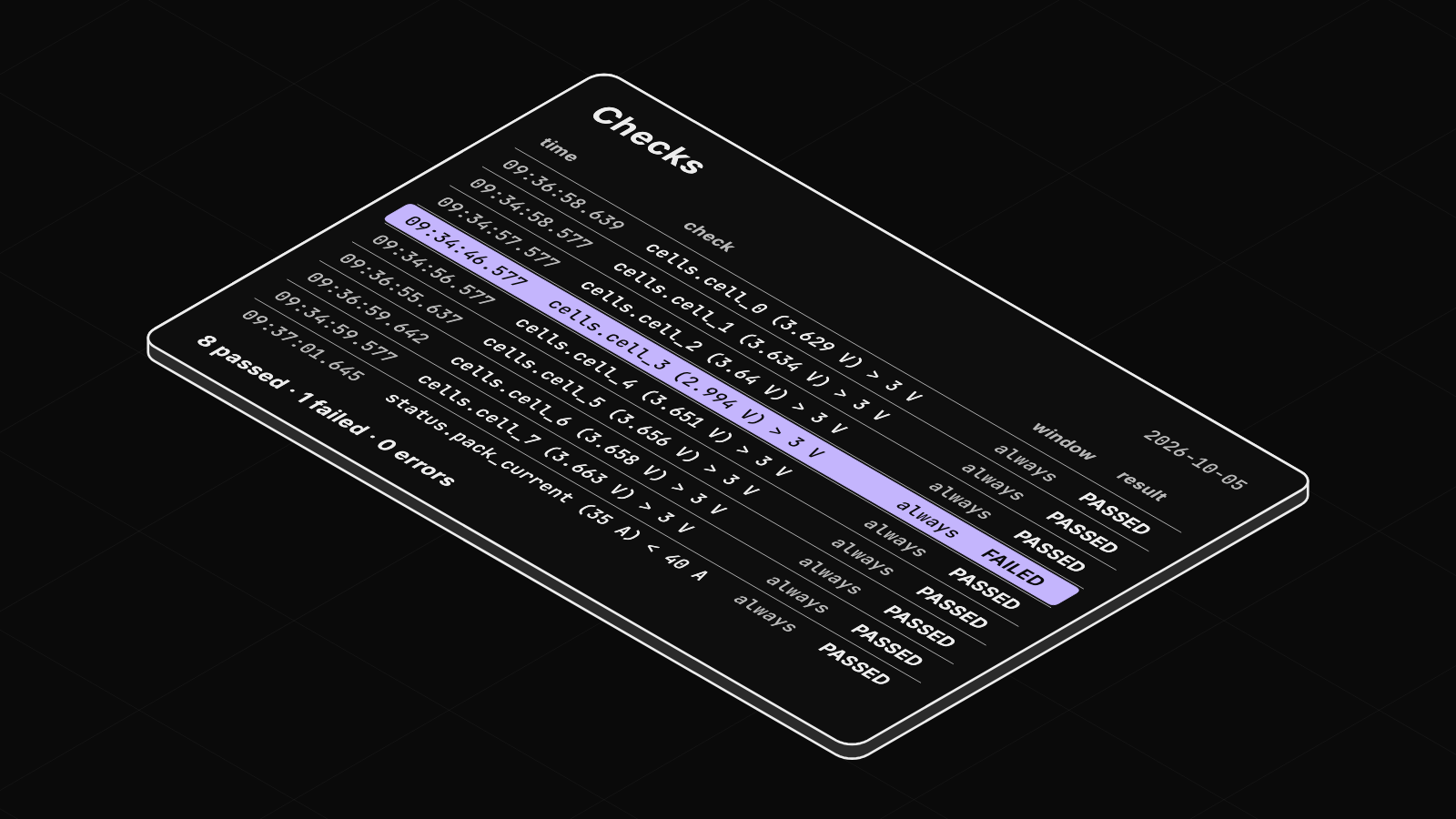
CheckResults renders as one board. Run the cell. The board reads 8 passed · 1 failed · 0 errors.
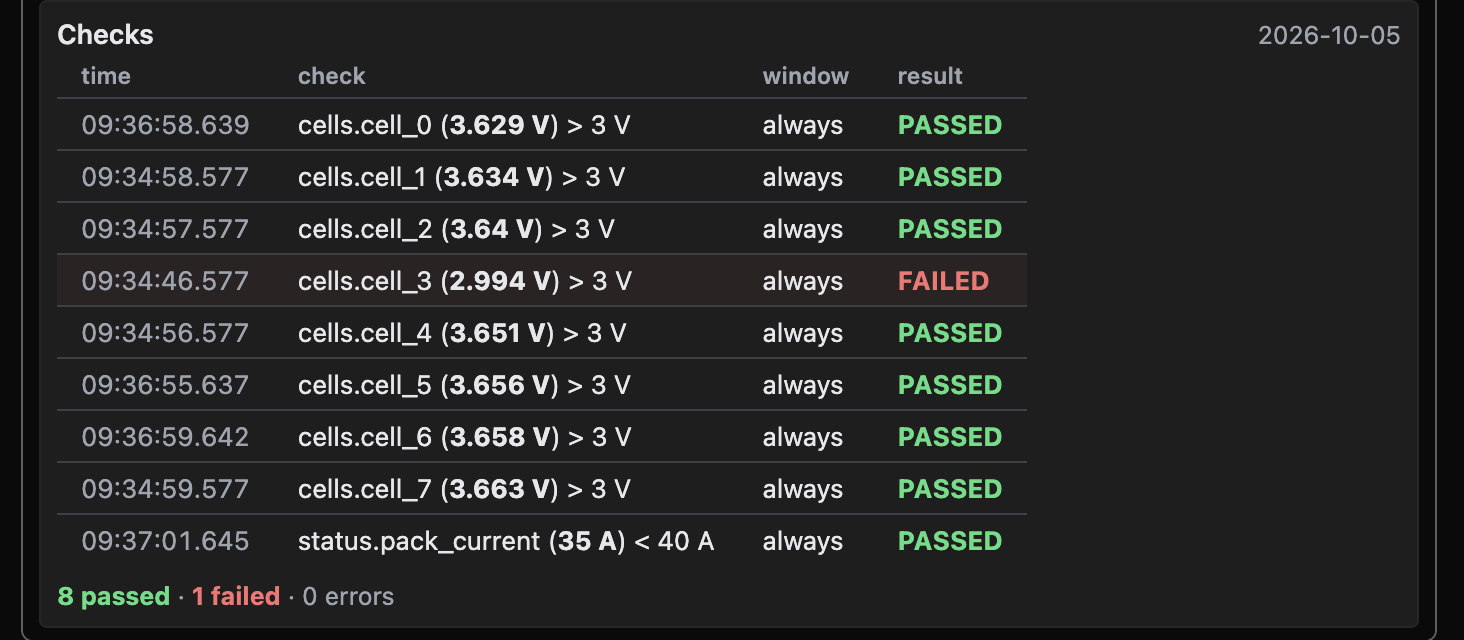
A failed row names the first sample that broke the rule, here cells.cell_3 (2.994 V) > 3 V. A passed row names the closest call, such as the pack current's peak against its limit. Choose Hide code in the status bar to see the chart and the board together. The red row's time is where the first dip crosses 3.0 V.
Step 2: Put the gate in its own last cell
Click in the rules cell and press Shift+Escape for a new line below. Type three backticks and write the gate:
results.raise_if_failed()Choose Run all in the status bar. The gate raises AssertionError listing every row that did not pass, and the status bar reads 1 error. Click it to jump to the gate.
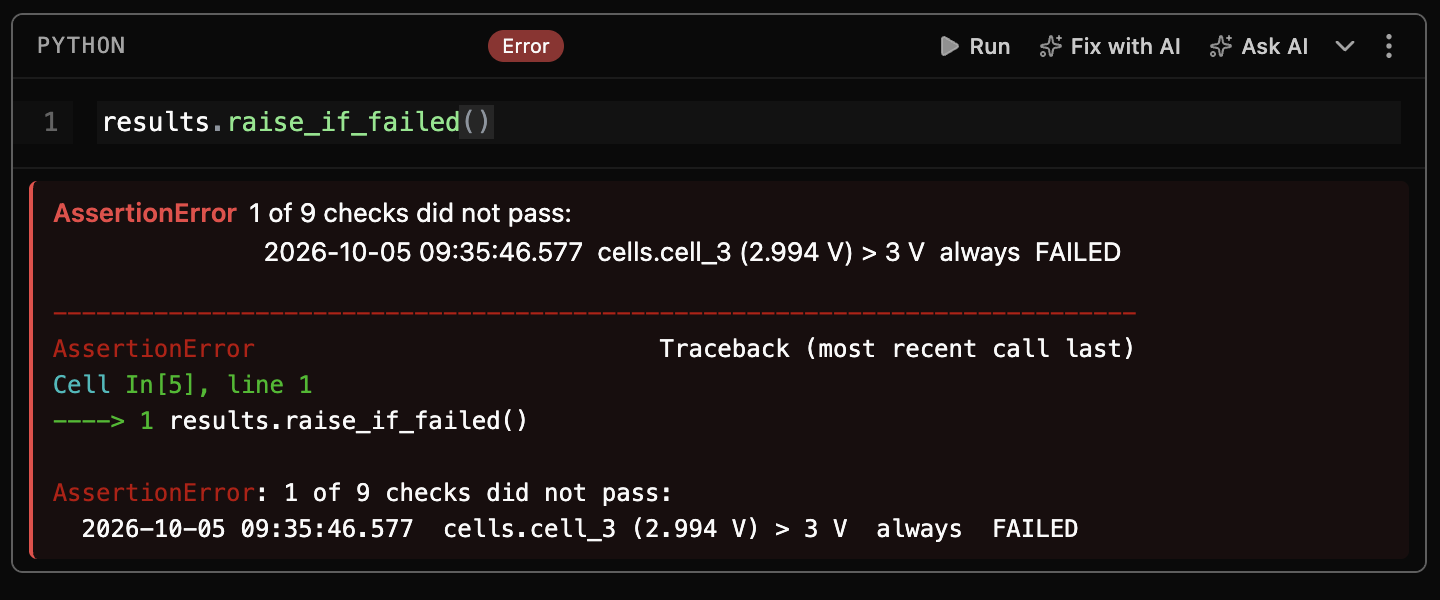
A raising cell stops the cells after it, so the gate goes last. The same file also runs in CI: zelos notebook run Release-gate.md -o release-gate.html fails the run when the gate raises and writes the board to an HTML page. Notebooks as tests has a workflow file.
Step 3: Publish the failed run
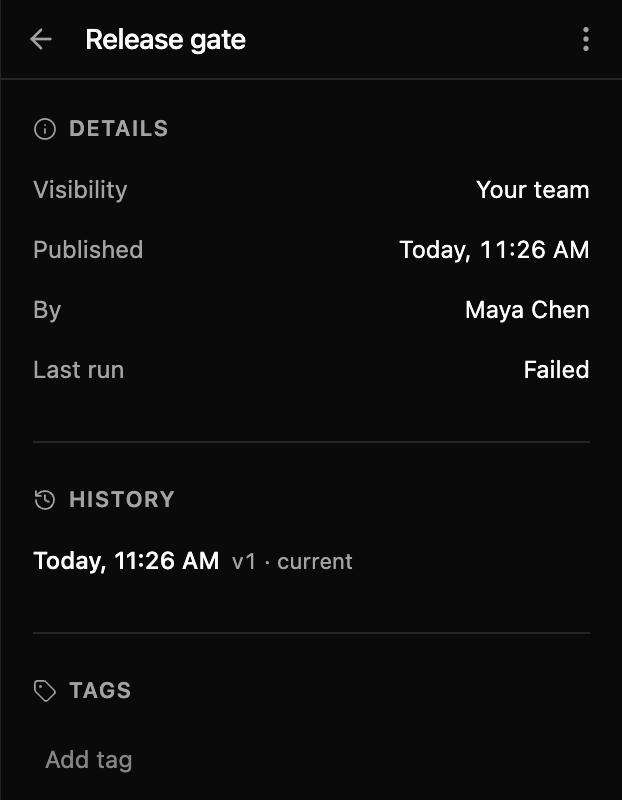
Choose Share in the notebook's header, then Publish. Publish a notebook your team can read covers sharing in full. Open Cloud in the right sidebar, open the notebook's ⋮ and choose Details. Last run reads Failed.
Run all, not one cell
The rules check the window the chart cell queried. Run the rules cell alone a minute later, and the eight cell rules still check the chart cell's old three minutes. Run all queries fresh data.
Make it pass
Change cell_floor to 2.5 and choose Run all: all nine rows pass. From the CLI, --param cell_floor=2.5 does the same, and the run passes. The notebook is in zelos-examples. For the same checks inside pytest, see Run bench tests with pytest and open the failure.